
How to Make a Trip Itinerary With AI in 2026: A Step-by-Step Guide
Planning a trip no longer requires dozens of tabs. Learn how to use AI to create a personalized itinerary based on your budget, interests, travel style, and dates—and turn your ideas into a journey you’ll actually want to take.


Planning a trip used to start with excitement and somehow end with twenty browser tabs.
One tab for flights.
Another for hotels.
Google Maps for distances.
Travel blogs for things to do.
Reddit for the things travel blogs forgot to mention.
A spreadsheet you promised yourself you would organize later.
And after hours of research, you still had one question:
What am I actually doing on Day 3?
AI is changing that.
Today, you can describe the trip you want—where you're going, how much you want to spend, what you enjoy, and how fast you like to travel—and get a personalized itinerary in minutes.
But there is an important difference between an AI-generated itinerary and a good AI-generated itinerary.
The quality of your trip plan depends heavily on what you tell the AI, how you refine the first draft, and whether you verify the details that can change.
Here's how to make a trip itinerary with AI that you might actually want to follow.
The Short Version: How to Create an AI Trip Itinerary
The process is simple:
- Define your destination, dates, and budget.
- Tell the AI what kind of traveler you are.
- Ask for a realistic day-by-day itinerary.
- Refine the plan instead of accepting the first draft.
- Check flights, hotels, opening hours, and travel times.
- Book the important parts.
- Leave some room for spontaneity.
The AI does the heavy lifting.
You make the final decisions.
Step 1: Start With the Basics
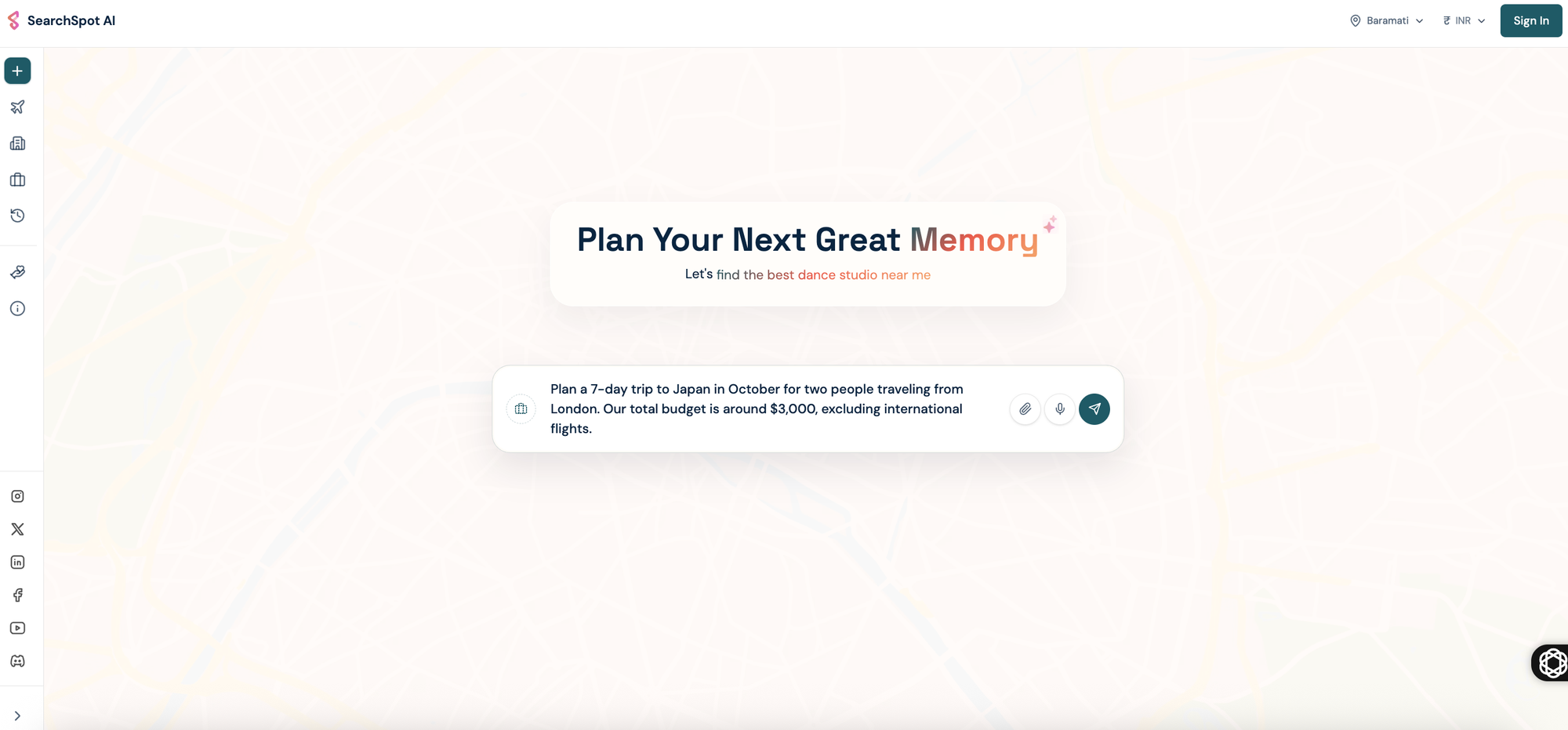
Before asking AI to plan anything, give it the essential details.
At minimum, include:
- Destination
- Travel dates
- Number of travelers
- Approximate budget
- Where you're traveling from
Instead of writing:
Plan a trip to Japan.
Try:
Plan a 7-day trip to Japan in October for two people traveling from London. Our total budget is around $3,000, excluding international flights.
Immediately, the AI has more context.
But we can do much better.
Step 2: Tell the AI What Kind of Traveler You Are
Two people can visit the same city and want completely different trips.
One traveler wants museums, architecture, and quiet cafés.
Another wants nightlife, street food, and adventure.
A generic prompt creates a generic itinerary.
So tell the AI about you.
Include things such as:
- Food preferences
- Interests
- Travel pace
- Preferred accommodation
- Whether you like nightlife
- Whether you're traveling with children
- Accessibility requirements
- Activities you dislike
For example:
Plan a 7-day Japan itinerary for a couple who loves local food, photography, traditional neighborhoods, and nature. We prefer slow mornings and don't want more than three major activities in one day. We'd rather discover interesting local places than rush through every famous attraction.
That one paragraph can completely change the itinerary.
Step 3: Ask for a Realistic Day-by-Day Plan
Now ask AI to organize your trip.
A useful itinerary should consider geography.
You don't want breakfast on one side of a city, lunch an hour away, and an evening activity back where you started.
Ask the AI to group nearby attractions together.
Example prompt:
Create a detailed day-by-day itinerary. Group nearby attractions together to reduce unnecessary travel. Include suggested times, meal breaks, estimated travel time between areas, and some free time every day.
The result might look something like this:
Day 1: Arrival and Easy Exploration
Morning: Arrive and check into your hotel.
Afternoon: Explore the neighborhood around your accommodation.
Evening: Visit a local food district and have an early night.
Day 2: Historic Tokyo
Morning: Visit Senso-ji Temple.
Afternoon: Explore Asakusa and Ueno.
Evening: Dinner at a local izakaya.
This is already more useful than a random list of attractions.
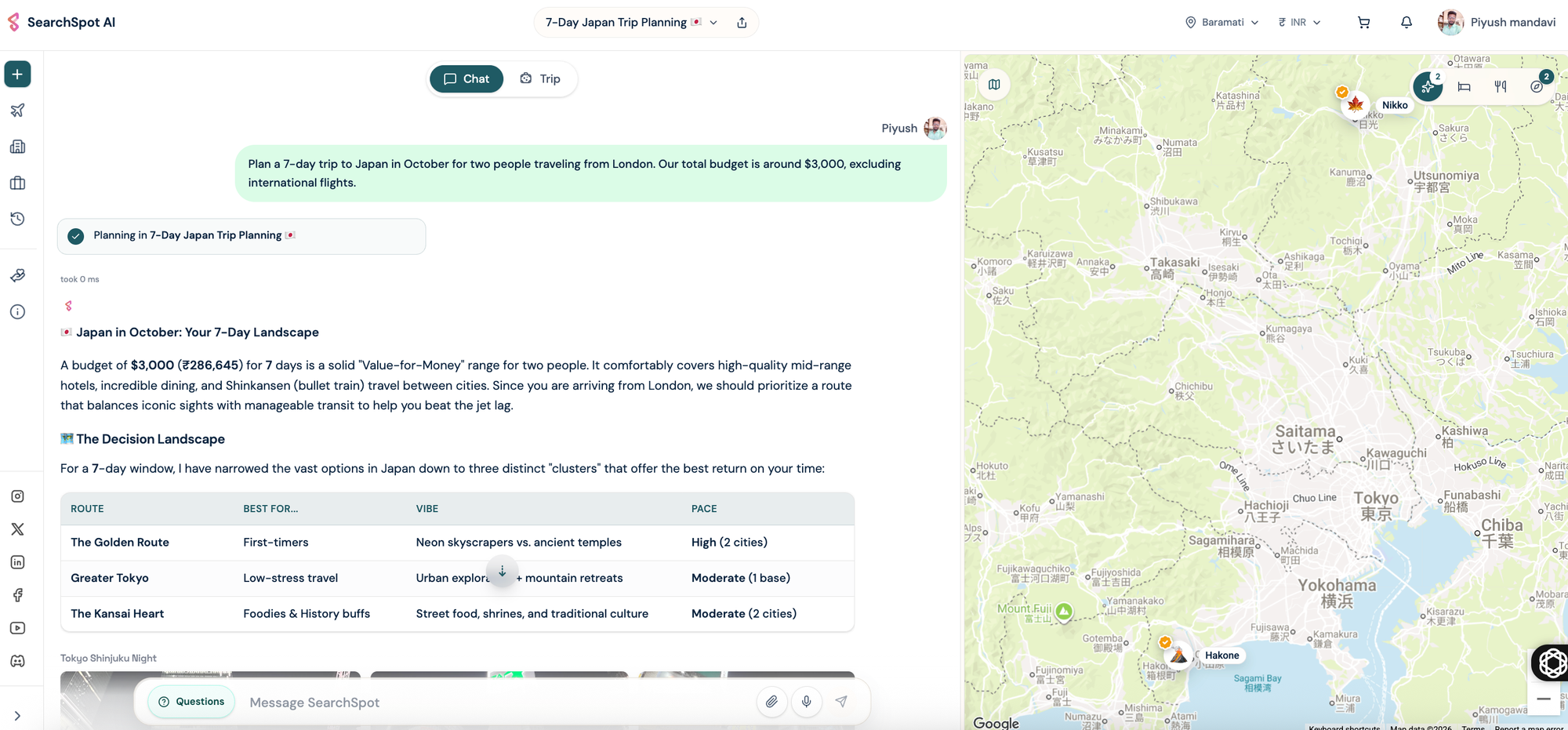
Step 4: Don't Accept the First Itinerary
This might be the most important step.
AI-generated itineraries should be treated as a first draft, not a final answer.
Read the plan and ask:
Does this feel too busy?
Are there too many tourist attractions?
Is enough time allowed for transportation?
Do I actually want to do these things?
Then talk to the AI.
Try prompts like:
Make Day 3 less rushed.
Replace two tourist attractions with local experiences.
Add more free activities.
Give me a rainy-day alternative.
Make this itinerary better for children.
Remove nightlife and add more nature.
Keep one afternoon completely unplanned.
The best part of AI trip planning isn't generating the first itinerary.
It's being able to reshape it in seconds.
Step 5: Add Your Budget
A beautiful itinerary is useless if you can't afford it.
Tell the AI your budget and ask it to divide your spending.
For example:
My total budget is $2,000. Estimate how much I should allocate to hotels, local transportation, food, attractions, and other expenses.
You can also ask:
Make this itinerary 20% cheaper without removing the main experiences.
Or:
Replace expensive activities with free or low-cost alternatives.
AI can help you think about trade-offs.
Maybe staying slightly outside the city center saves enough money for an experience you really want.
Maybe taking a train makes more sense than flying.
Maybe one expensive restaurant is worth it, while the rest of the trip can be built around local food.
A good itinerary doesn't just tell you where to go.
It helps you understand where your money is going.
Step 6: Find Flights and Hotels That Fit the Trip
This is where many general AI tools reach their limit.
Generating ideas is easy.
Turning those ideas into an actual trip is harder.
Flight prices change.
Hotel availability changes.
A beautiful hotel recommendation isn't useful if it's outside your budget or an hour away from everything in your itinerary.
That's why planning and booking should work together.
With SearchSpot, you can move from an idea to the practical parts of your journey—exploring your trip, finding flights, discovering hotels, and building a plan around what you actually need.
The goal isn't to create the longest possible itinerary.
It's to create a trip you can actually take.
Step 7: Check the Details AI Can Get Wrong
AI is powerful.
It is not infallible.
Before relying on your itinerary, verify anything that could affect your trip significantly.
Check:
- Attraction opening hours
- Ticket requirements
- Visa and entry requirements
- Train and bus schedules
- Flight information
- Hotel availability
- Seasonal closures
- Local holidays
- Weather conditions
An AI may create an excellent route while using outdated information about an attraction.
So use AI for planning.
Use current, reliable sources for confirmation.
The closer you get to booking, the more important verification becomes.
Step 8: Ask AI to Optimize the Route
One of the easiest ways to ruin a trip is spending too much time moving between places.
Ask:
Review my itinerary and identify any days where I'm traveling unnecessarily between distant neighborhoods.
Then ask:
Reorganize the itinerary so nearby attractions are visited on the same day.
For multi-city trips, try:
Find the most logical order to visit these cities while minimizing travel time and unnecessary backtracking.
This can be particularly useful for trips across Europe, Japan, Southeast Asia, or anywhere you're visiting several destinations.
Step 9: Create Backup Plans
Travel rarely goes exactly as planned.
It rains.
A museum closes.
A train is delayed.
You're exhausted.
You discover a café you love and decide to stay for another hour.
A useful AI itinerary should adapt.
Ask for:
- Rainy-day alternatives
- Indoor activities
- Lower-cost alternatives
- Rest-day options
- Backup restaurants
- Alternative transport
You can even ask:
If I wake up tired and want to skip half of Day 4, which activities should I prioritize?
That's where AI becomes genuinely useful.
Not because it predicts the perfect trip.
Because it helps you adapt when the trip isn't perfect.
Step 10: Leave Something Unplanned
This sounds strange in an article about itinerary planning.
But don't plan everything.
Leave an afternoon open.
Walk without a destination.
Choose a restaurant because it smells good.
Stay longer somewhere you unexpectedly love.
The purpose of an itinerary is not to control every minute of your vacation.
It's to remove enough uncertainty that you can enjoy the uncertainty that remains.
A good plan gives your trip structure.
A great plan gives your trip room to breathe.
A Complete AI Trip Planning Prompt You Can Copy
Here's a template you can adapt:
I'm planning a [number]-day trip to [destination] from [dates] for [number of travelers]. My total budget is approximately [budget].
We enjoy [interests] and prefer [slow/moderate/fast] travel. We want to experience [specific experiences] and avoid [things you dislike].
Create a realistic day-by-day itinerary. Group nearby attractions together, include meal breaks and reasonable travel time, and avoid overloading each day.
Suggest the best areas to stay based on the itinerary and budget. Include free or affordable alternatives where possible, and leave some time for spontaneous exploration.
Also flag anything I should verify before booking, such as opening hours, reservations, transportation schedules, or seasonal closures.
The more specific you are, the more useful the result becomes.
What AI Is Good at—and What You Should Still Check
AI is excellent at:
- Turning ideas into structure
- Creating first-draft itineraries
- Personalizing trips around your interests
- Suggesting alternatives
- Reorganizing busy schedules
- Helping with budgets
- Brainstorming destinations
But you should still verify time-sensitive information before spending money.
Think of AI as an incredibly fast travel-planning partner.
Not an unquestionable source of truth.
How SearchSpot Fits Into AI Trip Planning
The old way of planning travel was fragmented.
You discovered a destination in one place.
Researched it somewhere else.
Compared flights on another website.
Opened several tabs for hotels.
Saved attractions in a map.
Then tried to connect everything yourself.
AI gives us an opportunity to rethink that entire process.
At SearchSpot, the idea is simple: travel planning should feel more like a conversation and less like administrative work.
Tell us where you want to go.
Tell us what matters to you.
Explore your options.
Find flights and hotels.
Build a journey around the way you actually want to travel.
Because AI shouldn't decide what your perfect trip looks like.
It should help you discover it.
Final Thoughts

AI can create a travel itinerary in seconds.
But speed isn't the most interesting part.
The real change is personalization.
For years, travelers have relied on the same lists:
"10 things to do in Paris."
"Best attractions in Tokyo."
"Top places to visit in Italy."
AI allows travel planning to become more personal.
Not:
What's the best trip?
But:
What's the best trip for me?
Give the AI context.
Refine the first draft.
Verify important details.
Book what matters.
And leave enough empty space for the moments no algorithm could have planned.
Because the best itinerary isn't the one that fits the most into every day.
It's the one that makes you excited to go.
Turn this research into a real trip plan
SearchSpot helps you compare stays, routes, neighborhoods, and decision tradeoffs in one planning flow so you can move from reading to booking with more confidence.