
Best AI Trip Planners in 2026: We Tested 7 Tools With the Same Prompt

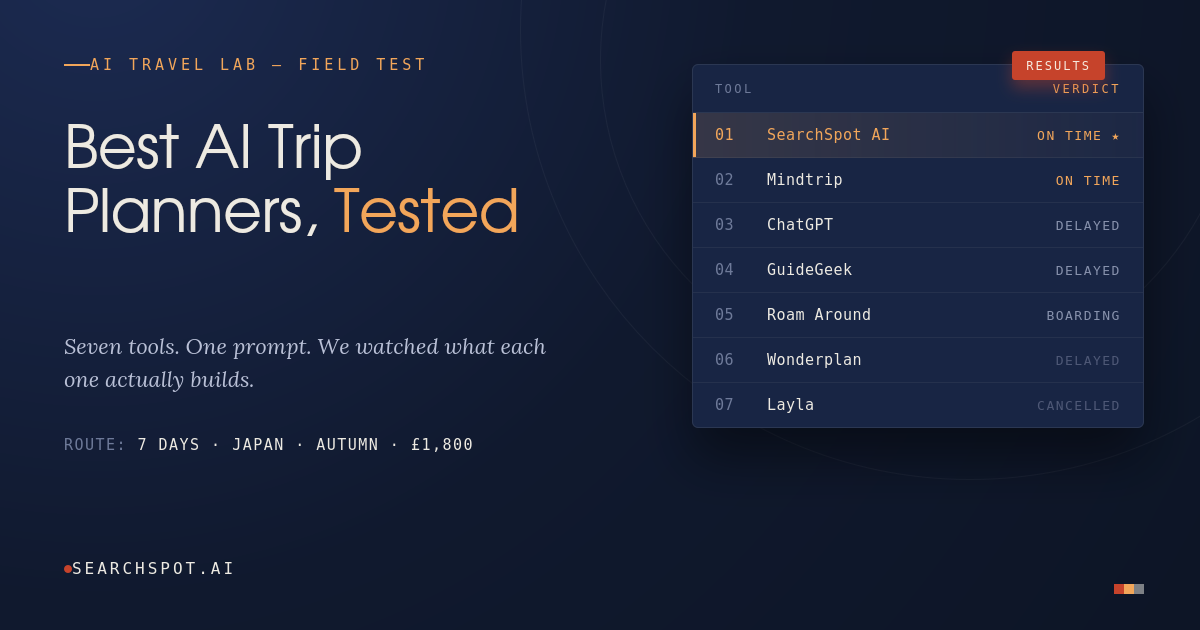
Planning a trip used to mean 20 browser tabs, three spreadsheets, and a Pinterest board you never opened again. AI trip planners promise to fix that — but "AI-powered" means very different things depending on the tool.
To find out which ones actually deliver, we ran the exact same request through seven of the most talked-about AI trip planners and compared the results side by side.
Our Test Prompt
We gave every tool this single, realistic prompt:
"I want to spend seven days in Japan during autumn with a budget of £1,800."
No follow-up hand-holding, no extra context — just what a real traveler would type in on a Tuesday night while dreaming about koyo season. If you want to sanity-check your own numbers before reading on, our Trip Budget Calculator will do the £1,800-style math for any destination in seconds. Here's how each tool handled it.
Quick Comparison
| Tool | Understood budget in local currency | Gave multiple route options | Interactive map | Visuals in response | Input style |
|---|---|---|---|---|---|
| SearchSpot AI | ✅ (£→₹ conversion shown) | ✅ 3 tailored routes | ✅ Live map with pins | ✅ Inline images | Conversational chat |
| Mindtrip | ✅ | ✅ 2 options (A/B) | ✅ | ✅ | Conversational chat |
| ChatGPT | ✅ | ⚠️ One default plan | ❌ | ⚠️ Stock-style images only | Conversational chat |
| GuideGeek | ⚠️ Didn't address budget first | ❌ | ✅ | ❌ | Conversational chat |
| Roam Around | ❌ No budget field | ❌ | ❌ | ⚠️ Cover image only | Static form |
| Wonderplan | ❌ Budget just re-typed back | — (not shown) | — | — | Static form |
| Trip Planner AI (Layla) | — | — | — | — | Landing page / form |
Now let's break down what actually happened with each one.
1. SearchSpot AI
SearchSpot took the prompt and immediately did the work a human travel agent would do first: it converted the £1,800 budget into local currency (≈₹173,900) so the traveler understands their real spending power on the ground, rather than leaving that math to the user.
Instead of dumping a single itinerary, it laid out three distinct ways to experience Japan in autumn — a "Golden Route" through Tokyo and Kyoto for first-timers, a Hokkaido nature-and-food route, and a Japanese Alps culture route through Takayama — each with a clear "best for" and "vibe" description. The response is paired with a live map showing pinned locations and inline destination photos, so the plan is visual from the first reply, not just a wall of text. If you're weighing autumn timing specifically, the Crowd Calendar tool is worth a look before you lock in dates — peak koyo weekends in Kyoto get busy fast.
It also has a few details built for how people actually plan trips now: it can pick up a previous chat ("Continue with the last chat — Hotels in Mahabaleshwar") and it accepts Instagram Reels sent directly to @searchspot.ai so users can turn a saved reel into a bookable comparison.
Best for: travelers who want a genuinely tailored starting point (multiple routes, not one default) plus a visual, map-based planning experience in the same reply.
2. Mindtrip
Mindtrip's dark-themed interface also handled the budget conversion and, like SearchSpot, avoided giving a single rigid itinerary. It offered two shaped options — "Classic cities + easy foliage" versus "Tokyo + nature" — with a live map on the right that pins each recommended stop (Kyoto, Hakone, Kamakura) as the conversation continues.
A nice touch: its homepage surfaces "Jump back in" trips and local recommendations based on the user's actual location, which suggests decent personalization outside of the chat itself.
Best for: travelers who like a visual, map-first planning experience and don't mind a two-option (rather than three-option) framing.
3. ChatGPT
ChatGPT produced a competent, readable answer: a sample budget table (flights, accommodation, food, transport, attractions, shopping) followed by a straightforward day-by-day itinerary (Tokyo → Hakone → Kyoto). When we gave it a more detailed prompt with specific interests (food, photography, hiking, anime, "no more than one museum"), it did adapt the itinerary and cities accordingly.
What it doesn't do is anything spatial — no map, no pins, no way to see the trip laid out geographically. Images that do appear are generic, non-interactive stock photos rather than tied to specific recommended locations, and there's no persistent "trip" object to keep editing — just a chat thread. If your route spans more than one city, our Multi-City Route Planner is built specifically to close that gap.
Best for: a fast, free, text-based starting point if you already know roughly where you're going and just want a budget sanity check.
4. GuideGeek
GuideGeek opened with a capabilities overview and a privacy-policy prompt rather than directly addressing the £1,800 budget in its first response — the itinerary planning happened after that intro step. It does offer a map with numbered pins across Japan (Osaka, Kyoto, Tokyo) and lists a broad service scope (flights, hotels, restaurants, visas, local customs).
Best for: travelers who want a broad travel-assistant chatbot and don't mind an extra step before getting a tailored budget breakdown.
5. Roam Around
Roam Around uses a static form (Destination, number of days, an optional "personalize" text field) rather than free-text conversation — so the £1,800 budget in our prompt wasn't actually captured anywhere in the flow. The generated itinerary lives on a separate page with a cover image and share/embed buttons (WhatsApp, Telegram, X, LinkedIn, Reddit), clearly built for shareability, and runs on a token system (2 tokens shown, more earned by sharing).
Best for: quick, shareable day-by-day itineraries when budget isn't the main constraint you're solving for.
6. Wonderplan
Wonderplan's "Tell us your travel preferences" screen took our full prompt as free text and offered a "Generate with AI" button, but also expects the destination to be filled in separately below ("What is destination of choice?") — so the budget and destination aren't necessarily read as one coherent request.
Best for: travelers who prefer filling in structured fields over chatting.
7. Trip Planner AI (Layla)
Layla's landing page presents itself as an AI trip and itinerary builder ("saves you hours planning flights, hotels, and activities") but requires clicking into "Create a New Trip" before any planning starts — there's no direct chat box on the homepage to test a prompt against.
Best for: travelers who don't mind an extra onboarding step before planning begins.
The Verdict
If you want a single message to be enough — no forms, no re-typing your destination, no guessing what your budget actually buys you — the tools that handled our prompt best in one shot were SearchSpot AI and Mindtrip, both of which converted the budget, mapped it visually, and offered real alternative ways to shape the trip rather than one fixed plan.
Of the two, SearchSpot AI's response went a step further by offering three distinct route options (versus two) and layering in inline photos alongside the map in the very first reply, plus the ability to resume past trip conversations and pull in inspiration straight from Instagram.
Still not sure Japan is even the right call for your budget and dates? Our Where Should I Go? quiz is a faster way to stress-test that before you commit to a single destination.
FAQ
What's the best free AI trip planner? ChatGPT is the most accessible free option for a quick budget and day-by-day breakdown, though it lacks maps or visual trip-building.
Which AI trip planner understands budgets in different currencies? SearchSpot AI and Mindtrip both converted a GBP budget into local currency (INR) automatically as part of their first response.
Do AI trip planners show maps? SearchSpot AI, Mindtrip, and GuideGeek all display an interactive map alongside the chat. ChatGPT, Roam Around, and Wonderplan do not.
Can I plan a trip without typing a long prompt? Roam Around and Wonderplan use short structured forms (destination, days, optional preferences) instead of free-text prompts, which can be faster if you don't want to write out a full sentence.
Try it yourself: give SearchSpot AI your next trip idea — budget, dates, and vibe — in one sentence and see the routes it builds.
Turn this research into a real trip plan
SearchSpot helps you compare stays, routes, neighborhoods, and decision tradeoffs in one planning flow so you can move from reading to booking with more confidence.